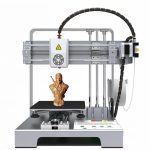
The integration of additive manufacturing into K-12 curricula presents a unique set of engineering challenges that differ significantly from those in industrial or maker-space settings. While industrial machines prioritize speed and volume, educational environments demand a different hierarchy of values: safety, reliability, and operational simplicity. The fully enclosed desktop FDM 3D printer has emerged as the definitive solution to these requirements, providing a controlled environment where students can interact with advanced technology without exposure to inherent mechanical hazards.
1. Mitigating Thermal Risks Through Physical Isolation
The primary safety concern in educational 3D printing is the high temperature of the extrusion system. A standard FDM nozzle operates at temperatures exceeding 200°C, while the heated bed can reach upwards of 100°C. In an open-frame design, these surfaces are accessible, posing a burn risk to curious students.
The fully enclosed design creates a mandatory thermal barrier. By physically isolating the print chamber, the external surface temperature remains within safe limits. This design feature transforms the device from a potential hazard into a safe teaching instrument, allowing educators to comply with stringent laboratory safety protocols without constant direct supervision.
2. Automated Calibration and System Reliability
Manual bed leveling is the most common point of failure in desktop 3D printing. For educators managing multiple devices across several classrooms, inconsistent calibration leads to failed prints, wasted filament, and frustrated students. Modern educational-grade printers address this through automatic bed leveling (ABL) systems.
By utilizing inductive sensors or strain gauges, the machine maps the print bed’s topography before each job, compensating for minor variations in real-time. This automation removes the steepest part of the learning curve, ensuring that the focus remains on design principles rather than mechanical troubleshooting. Furthermore, the inclusion of a resume printing function mitigates the risk of power instability—a common issue in older school buildings—by allowing the machine to continue a print job from the last known position after a power outage.
3. Environmental Control and Material Integrity
Beyond safety, the enclosure serves a critical thermal management function. Warping occurs when the printed object cools too quickly relative to the layers below it. In a classroom setting with variable air conditioning and drafts, an open printer is prone to print failure. The enclosed chamber acts as a passive heating system, maintaining a stable microclimate around the print. This ensures that even with challenging materials like ABS or PETG, the dimensional accuracy and structural integrity of student projects are preserved.
Conclusion
Selecting a 3D printer for STEM education is not merely a purchasing decision; it is an infrastructure choice. The combination of full enclosure, automated calibration, and power-loss recovery provides the necessary foundation for a sustainable and safe educational program. These features ensure that the technology empowers the curriculum rather than distracting from it.
Frequently Asked Questions (FAQ)
Q1: What is the recommended student-to-printer ratio for a typical STEM classroom?
A: For effective project-based learning, we recommend a ratio of 4:1 or 5:1 (students per printer). This allows for collaborative group work while ensuring each team has sufficient machine time to iterate on their designs.
Q2: Are the materials used in these printers food-safe or non-toxic?
A: Most educational programs utilize PLA (Polylactic Acid), which is derived from renewable resources like corn starch and is generally considered non-toxic. However, standard 3D printed parts have layer lines that can harbor bacteria, so they should not be used for direct food contact unless coated with a food-safe sealant.
Q3: How long does a typical classroom print job take?
A: Depending on complexity, most student projects (such as name tags, simple gears, or small architectural models) complete within 1 to 3 hours. This timeframe fits well within a standard school day or block schedule.
Q4: What maintenance is required to keep the printer running reliably?
A: Routine maintenance includes checking belt tension monthly, lubricating linear rods every semester, and cleaning the print bed with isopropyl alcohol. The automated leveling system significantly reduces the need for daily mechanical adjustments.
Q5: Can these printers connect to a school’s Wi-Fi network for remote monitoring?
A: Yes, most modern educational models support Wi-Fi connectivity, allowing teachers to monitor print progress from a central computer or tablet, which is essential for managing multiple machines simultaneously.


No reply content