Introduction: Why Touch Screen Running Machines Are Redefining Modern Cardio Training
The evolution of cardio equipment has entered a new phase. Traditional running machines with basic LED displays are no longer sufficient for today’s fitness users, gym operators, and wellness-focused consumers. The demand has shifted toward touch screen running machines—equipment that integrates mechanical performance, digital intelligence, and interactive user experience into a single platform.
A touch screen running machine is not just a treadmill with a screen attached. It represents a convergence of motor control technology, sensor-based data collection, embedded operating systems, and user-centric interface design. For commercial gyms, hotels, rehabilitation centers, and premium home gyms, these machines have become a symbol of professionalism, innovation, and long-term value.
This in-depth guide explores how touch screen running machines work, which technical specifications truly matter, how to evaluate quality beyond marketing language, and how buyers can make informed decisions based on real engineering principles and operational experience.
What Is a Touch Screen Running Machine?
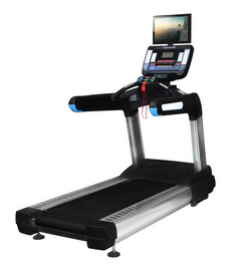
A touch screen running machine is a motorized treadmill equipped with an integrated capacitive or industrial-grade LCD touchscreen, allowing users to control workouts, view performance data, and interact with digital content through an intuitive graphical interface.
Unlike button-based consoles, touchscreen systems offer:
- Dynamic UI layouts
- Real-time data visualization
- Interactive training programs
- Software-based upgrades
These machines are widely used in commercial fitness facilities and high-end residential gyms, where user engagement and data accuracy are critical.
Core Advantages of Touch Screen Technology in Running Machines
1. Intuitive User Interaction and Accessibility
Touchscreen interfaces significantly reduce the learning curve for first-time users. Instead of navigating multiple physical buttons, users can:
- Adjust speed and incline with visual sliders
- Select training programs via graphical menus
- Monitor metrics in real time with large, clear fonts
This is especially valuable in public gyms and hotels where users have varying fitness backgrounds.
2. Enhanced Training Engagement and Motivation
Touch screen running machines often include:
- Virtual running environments
- Scenic routes with auto-incline
- Interval and HIIT programs
- Goal-based challenges
Studies in fitness behavior consistently show that interactive interfaces increase workout duration and frequency, leading to better long-term adherence.
3. Advanced Data Visualization and Tracking
Touchscreen consoles display data such as:
- Speed and pace curves
- Incline profiles
- Heart rate zones
- Calories burned (MET-based algorithms)
This visual feedback helps users better understand training intensity and progression.
Motor Systems: The Foundation of Performance
A touchscreen interface is only as good as the mechanical system behind it. High-quality touch screen running machines rely on robust motor engineering to ensure smooth, stable performance.
AC Motor vs DC Motor in Touch Screen Running Machines
| Motor Type | AC Motor | DC Motor |
|---|---|---|
| Continuous Power | 3.0–5.0 HP | 2.0–3.0 HP |
| Peak Power | 6.0–7.0 HP | 4.0–5.0 HP |
| Noise Level | Moderate | Lower |
| Duty Cycle | Continuous | Intermittent |
| Typical Application | Commercial | Home / Light commercial |
For commercial touch screen running machines, AC motors are preferred due to their durability and load stability.
Recommended Motor Specifications
- Continuous Duty Power: ≥ 3.0 HP
- Peak Output: ≥ 6.0 HP
- Speed Control: PWM or vector control
- Cooling System: Independent fan-assisted cooling
Stable motor torque ensures consistent belt speed even during incline changes or high user weight conditions.
Speed, Incline, and Performance Control
Speed Range and Accuracy
| Parameter | Professional Standard |
|---|---|
| Speed Range | 0.8 – 20 km/h |
| Speed Resolution | 0.1 km/h |
| Acceleration Control | Soft-start algorithm |
Precision speed control is essential for interval training and rehabilitation use.
Incline System Engineering
- Incline Range: 0–15%
- Incline Motor: Independent high-torque motor
- Load Capacity: Full user weight + deck mass
Touch screen systems allow users to visually adjust incline profiles, enhancing training realism.
Running Belt and Deck Construction
Running Area Dimensions
- Length: 1500–1600 mm
- Width: 550–600 mm
A wider belt improves:
- Running stability
- Safety at higher speeds
- Comfort for taller users
Deck Materials and Shock Absorption
Professional touch screen running machines use:
- Multi-layer phenolic decks
- High-density elastomer cushioning
- 8–12 shock absorption points
These systems reduce joint impact and extend deck lifespan.
Touch Screen Display Technology
Screen Hardware Specifications
| Parameter | Typical Range |
|---|---|
| Screen Size | 15.6” / 18.5” / 21.5” |
| Resolution | Full HD (1920×1080) |
| Touch Type | Capacitive multi-touch |
| Brightness | ≥ 300 nits |
| Protection | Tempered glass |
Industrial-grade screens are designed for sweat resistance and continuous operation.
Operating System and Software
Most modern touch screen running machines use:
- Android-based OS
- Embedded Linux systems
Key software features include:
- Multi-language support
- User profile management
- OTA software updates
- Third-party app compatibility (optional)
Connectivity and Smart Integration
Touch screen running machines typically support:
- Wi-Fi connectivity
- Bluetooth heart rate monitoring
- USB charging ports
- Gym management system integration
These features enable data synchronization and remote system updates.
Comparison: Touch Screen Running Machine vs Traditional Console Treadmill
| Feature | Touch Screen | Button Console |
|---|---|---|
| User Experience | Highly interactive | Basic |
| Training Programs | Extensive | Limited |
| Data Visualization | Advanced | Minimal |
| Upgradeability | Software-based | Hardware-limited |
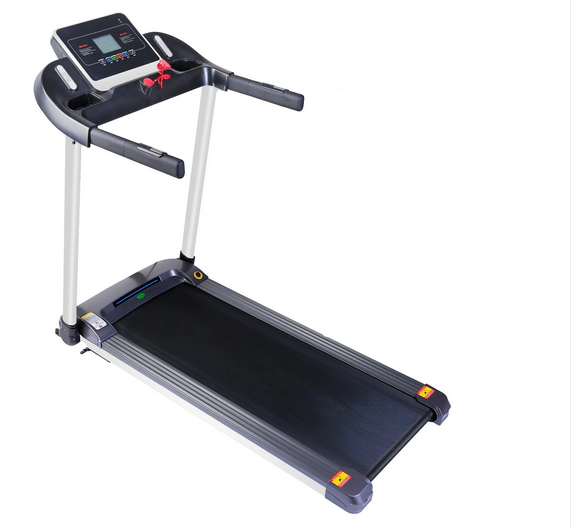
| Initial Cost | Higher | Lower |
For facilities focused on premium user experience, touch screen models offer significantly higher perceived value.
Typical Application Scenarios
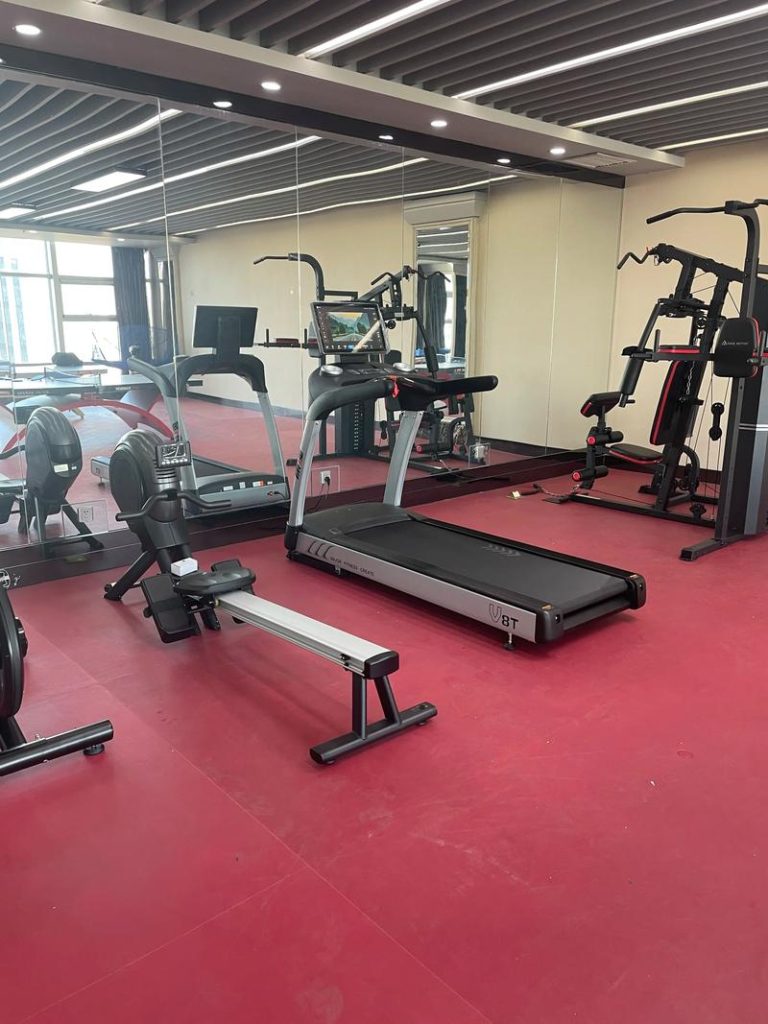
Commercial Gyms
- Member engagement
- High equipment utilization
- Brand differentiation
Hotels & Resorts
- Simple user interface
- Entertainment integration
Rehabilitation & Training Centers
- Precise speed control
- Visual feedback for patients
High-End Home Gyms
- Professional-grade features
- Long-term durability
Maintenance and Reliability
Routine Maintenance Tasks
- Weekly belt inspection
- Monthly lubrication
- Software updates via Wi-Fi
- Annual motor inspection
Expected Lifespan
- Motor: 8–12 years (commercial use)
- Touchscreen hardware: 5–8 years
- Deck and belt: 4–6 years
Technical Specification Table (Sample)
| Parameter | Specification |
|---|---|
| Motor Type | AC Motor |
| Continuous Power | 4.0 HP |
| Peak Power | 7.0 HP |
| Speed Range | 0.8–20 km/h |
| Incline | 0–15% |
| Running Area | 1600 × 580 mm |
| Touchscreen | 21.5” Capacitive |
| Max User Weight | 180 kg |
| Net Weight | 220 kg |
| Power Supply | 220–240V |
| Certifications | CE / RoHS / ISO |
Evaluating Manufacturer Credibility (E-E-A-T Framework)
Experience
- Years of treadmill manufacturing
- Export experience in regulated markets
Expertise
- In-house motor control development
- Software and hardware integration capability
Authoritativeness
- ISO-certified factories
- Third-party quality testing
Trustworthiness
- Transparent specifications
- Clear warranty policies
- Long-term spare parts support
Frequently Asked Questions (FAQ)
Q1: Are touch screen running machines reliable for commercial use?
Yes. When equipped with industrial-grade screens and AC motors, they are designed for continuous operation.
Q2: Do touch screens increase maintenance complexity?
Hardware maintenance is similar to traditional treadmills. Software updates are typically remote and straightforward.
Q3: Can the treadmill operate without internet?
Yes. Internet is only required for updates or online content, not core functions.
Q4: What screen size is ideal?
18.5” to 21.5” screens offer the best balance between visibility and cost.
Q5: What certifications should I look for?
CE, RoHS, ISO9001, and electrical safety certifications are essential.
Final Thoughts: Choosing the Right Touch Screen Running Machine
A touch screen running machine represents the future of cardio training—where mechanical reliability meets digital intelligence. However, true quality is not defined by screen size alone, but by motor performance, structural engineering, software stability, and manufacturer credibility.
For buyers who prioritize long-term performance, user engagement, and professional standards, investing in a well-engineered touch screen running machine delivers measurable returns in satisfaction, durability, and operational efficiency.
When chosen correctly, it becomes more than a treadmill—it becomes the centerpiece of a modern fitness environment.


No reply content