
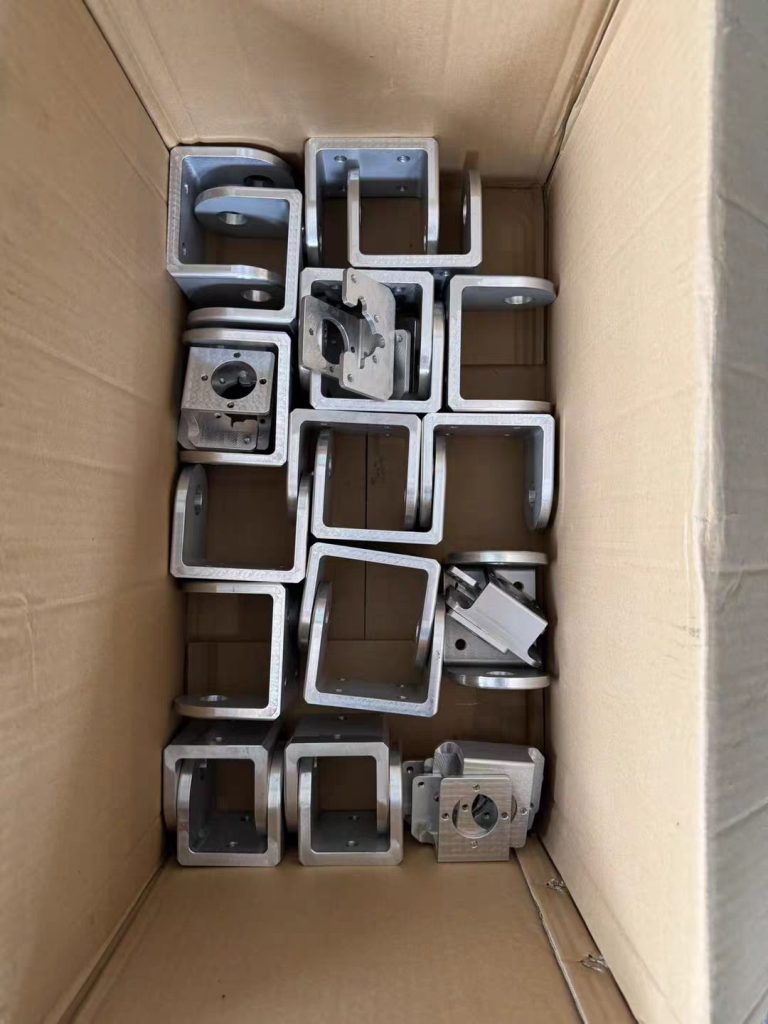
Getting an accurate quotation for custom CNC machining parts starts before a manufacturer calculates the price.
If a buyer sends only a product photo, an incomplete drawing, or a short message such as “Please quote 500 pieces,” different manufacturers may make different assumptions about the material, tolerances, surface finish, inspection requirements, and production process.
The result can be inaccurate quotations, repeated questions, unexpected costs, or price changes after the order is confirmed.
A well-prepared CNC machining RFQ gives the manufacturer the technical information needed to understand exactly what needs to be produced.
For buyers sourcing custom CNC machining parts from China, a good RFQ can also make supplier comparison much easier because different manufacturers are quoting against the same requirements.
This guide explains what to include in a CNC machining RFQ and how to prepare your files before requesting a quotation.
What Is a CNC Machining RFQ?
RFQ stands for Request for Quotation.
A CNC machining RFQ is a request sent to a manufacturer asking for the cost and production details of a specific custom part or group of parts.
A typical RFQ may contain:
- Part drawings
- 3D CAD files
- Material requirements
- Quantity
- Tolerances
- Surface finish
- Thread specifications
- Inspection requirements
- Packaging requirements
- Delivery requirements
The purpose is to give the manufacturer enough information to calculate the expected manufacturing cost and production requirements.
A strong RFQ is not necessarily a long document.
It is a clear document with the information that affects production.
Why Incomplete RFQs Cause Problems
CNC machining prices depend on many variables.
For example, consider two buyers requesting a quotation for what appears to be the same aluminum component.
Buyer A provides:
Aluminum part, 500 pcs.
Buyer B provides:
500 pcs, specified aluminum alloy, 3D CAD model, 2D drawing, dimensional tolerances, critical dimensions, surface finish, threaded holes, inspection requirements, packaging requirements, and delivery target.
The second request gives the manufacturer much more information to calculate the actual production requirements.
Without enough information, a supplier may need to make assumptions.
Those assumptions can later become a source of disagreement.
Step 1: Prepare the 3D CAD File
A 3D CAD model helps the manufacturer understand the overall geometry of the component.
Common file formats may include:
- STEP
- STP
- IGES
- IGS
- SolidWorks files
- Other CAD formats supported by the manufacturer
STEP files are widely used for exchanging 3D mechanical models, but the preferred format can depend on the manufacturer’s engineering software.
The model should represent the intended final geometry.
Before sending it, check for:
- Missing features
- Incorrect dimensions
- Open surfaces
- Unwanted bodies
- Incorrect threads
- Duplicate geometry
- Old design versions
If the model has multiple configurations, clearly identify which configuration should be quoted.
Step 2: Include a 2D Engineering Drawing
A 3D model shows geometry, but it may not communicate every manufacturing requirement.
A 2D drawing can define:
- Dimensions
- Tolerances
- Datums
- Threads
- Surface roughness
- Material
- Surface treatment
- Critical features
- Inspection requirements
For precision components, the 2D drawing can be particularly important.
If you need help preparing technical files, see what drawings and files CNC manufacturers need for custom parts.
Step 3: Specify the Material Clearly
Material can have a significant effect on CNC machining cost.
Do not simply write:
Aluminum
if the application requires a specific alloy.
Depending on the component, you may need to specify a particular material grade or standard.
For example, your drawing might identify:
- Material family
- Specific alloy or grade
- Required material condition
- Applicable standard
The more important the material is to the component’s performance, the more carefully it should be defined.
If you are still comparing material options, review what materials Chinese CNC parts manufacturers can machine.
Step 4: Specify the Quantity
Quantity is one of the most important pieces of information in an RFQ.
Tell the manufacturer how many parts you need.
For example:
- 1 prototype
- 5 samples
- 20 pieces
- 100 pieces
- 500 pieces
- 5,000 pieces
If you expect repeat orders, mention that as well.
A manufacturer may calculate a different production strategy for 10 pieces compared with 5,000 pieces.
If you are requesting pricing for different quantities, provide them separately.
For example:
Quantity pricing requested:
- 10 pcs
- 50 pcs
- 100 pcs
- 500 pcs
- 1,000 pcs
This allows you to understand how the unit price changes with production volume.
Step 5: Define Tolerances
Not every dimension should necessarily have the same tolerance.
Your drawing should identify the required tolerances based on the function of the component.
Important areas may include:
- Bearing seats
- Shafts
- Mating surfaces
- Precision holes
- Sealing surfaces
- Alignment features
Other dimensions may only require standard manufacturing tolerances.
Over-specifying tight tolerances can increase machining difficulty, inspection requirements, and production costs.
For more information, see what CNC machining tolerances Chinese manufacturers can achieve.
Step 6: Specify Surface Finish
Surface finish should be clearly stated when it affects the function or appearance of the part.
Possible requirements may include:
- As-machined
- Bead blasted
- Anodized
- Powder coated
- Polished
- Brushed
- Plated
- Passivated
- Black oxide
- Other specified treatments
If only selected surfaces require treatment, identify those surfaces on the drawing.
For example:
External housing surfaces: anodized
Precision bore: no coating
This is much clearer than simply writing:
Anodized aluminum part
Step 7: Identify Threads and Holes
Threaded features should be specified clearly.
Include information such as:
- Thread type
- Thread size
- Pitch where applicable
- Internal or external thread
- Thread depth
- Tolerance or fit requirements
For holes, specify:
- Diameter
- Depth
- Quantity
- Position
- Counterbore
- Countersink
- Reaming requirements where applicable
Incomplete hole information can lead to additional questions during quotation.
Step 8: Mark Critical Dimensions
Not every dimension on a component has equal importance.
If a particular dimension is critical to assembly or performance, identify it clearly.
Examples include:
- Bearing diameter
- Shaft diameter
- Hole position
- Overall thickness
- Mounting dimensions
- Sealing surface
- Alignment feature
This helps the manufacturer understand where additional process control or inspection may be necessary.
Step 9: Explain the Part’s Application When Relevant
You do not always need to disclose confidential product information.
However, explaining the general application can sometimes help the manufacturer understand the engineering priorities.
For example:
The component is used as a mounting bracket inside industrial equipment.
Or:
The part is a rotating shaft used in a mechanical assembly.
This can help the manufacturer identify potential manufacturing concerns.
Application information is particularly useful when choosing:
- Material
- Surface treatment
- Tolerance
- Surface roughness
- Inspection requirements
Step 10: State the Surface Roughness Requirement
If surface roughness matters, specify the requirement on the drawing.
For example, different surfaces may have different roughness requirements.
A general external surface may not need the same finish as:
- A sealing surface
- A bearing seat
- A sliding surface
- A mating surface
Avoid using only general terms such as “smooth.”
Use a defined requirement when surface roughness affects functionality.
Step 11: Include Inspection Requirements
Tell the manufacturer how the finished parts need to be inspected.
Depending on the project, requirements may include:
- Dimensional inspection
- Material verification
- Surface inspection
- Thread inspection
- First article inspection
- Inspection report
- Measurement records
- Sampling inspection
- Full inspection of critical dimensions
If a formal inspection report is required, mention it before receiving the quotation.
Inspection can require additional time and resources, so it should be included in the production discussion from the beginning.
Step 12: Specify Packaging Requirements
Packaging is sometimes overlooked during an RFQ.
However, custom CNC parts can be scratched, damaged, contaminated, or mixed together if packaging is not appropriate.
Depending on the part, you may require:
- Individual bags
- Protective film
- Foam protection
- Dividers
- Custom boxes
- Rust prevention
- Moisture protection
- Labeling
- Part-number identification
For precision or cosmetic components, packaging requirements can be particularly important.
Step 13: State the Required Delivery Date
If you have a target delivery date, tell the manufacturer.
For example:
Target shipment date: October 30
Do not assume that a quoted machining lead time automatically includes:
- Surface treatment
- Inspection
- Packaging
- Export preparation
Ask the supplier to confirm the complete production schedule.
Step 14: Request Prototype and Production Pricing Separately
If you are developing a new product, you may need a prototype before placing a larger production order.
Ask for separate pricing when appropriate.
For example:
Prototype quantity: 5 pcs
Production quantity: 500 pcs
This can help you understand the cost difference between prototype manufacturing and production quantities.
It also gives the manufacturer an opportunity to identify engineering or manufacturing issues before a larger order.
Step 15: Ask for DFM Feedback
DFM means Design for Manufacturing.
A manufacturer reviewing your drawing may identify features that are difficult, expensive, or inefficient to machine.
Potential issues can include:
- Extremely deep pockets
- Thin walls
- Difficult internal corners
- Unnecessary tight tolerances
- Difficult tool access
- Unusual hole depths
- Complicated setups
- Features requiring multiple machining operations
If you are open to engineering suggestions, tell the supplier.
For example:
Please review the design and recommend any changes that could reduce machining cost without affecting function.
This gives the manufacturer permission to identify potential improvements before production.
Step 16: Use Clear Part Numbers and Revision Numbers
If you have multiple components, assign clear part numbers.
For example:
- CNC-001
- CNC-002
- CNC-003
Also include a revision number.
For example:
Part Number: CNC-001
Revision: Rev B
This is especially important when drawings are updated.
Without revision control, an old drawing can accidentally be used for production.
Step 17: Organize Your RFQ Files
A simple folder structure can reduce confusion.
For example:
CNC-RFQ-2026-001
Inside the folder:
CNC-001-Rev-B.stepCNC-001-Rev-B.pdfCNC-002-Rev-A.stepCNC-002-Rev-A.pdfMaterial-Requirements.pdfInspection-Requirements.pdf
Use consistent filenames.
This makes it easier for both the buyer and manufacturer to identify the correct files.
What a Good CNC RFQ Should Contain
A practical RFQ checklist looks like this:
| Requirement | Recommended |
|---|---|
| Part number | Yes |
| Revision number | Yes |
| 3D CAD file | Yes |
| 2D drawing | Yes |
| Material | Yes |
| Quantity | Yes |
| Tolerances | Yes |
| Surface finish | When applicable |
| Threads | When applicable |
| Critical dimensions | Yes |
| Inspection requirements | When applicable |
| Packaging requirements | When applicable |
| Delivery target | Yes |
| DFM feedback | Recommended |
The exact requirements depend on the component, but this checklist covers most of the information manufacturers need for an initial quotation.
What Should You Ask the Manufacturer to Include in the Quote?
A quotation should ideally make the production scope clear.
Ask the manufacturer to provide:
- Unit price
- Quantity
- Tooling or setup costs if applicable
- Surface treatment cost
- Inspection cost if applicable
- Packaging cost
- Production lead time
- Shipping or delivery terms
- Payment terms
- Quotation validity
- Any assumptions or exclusions
This makes supplier comparison much easier.
For example, Supplier A may quote a lower unit price but exclude surface treatment, while Supplier B may include the complete finished-part process.
Comparing only the unit price could therefore produce a misleading result.
How to Compare Multiple CNC Suppliers
If you are requesting quotations from several manufacturers, send the same RFQ package to each supplier.
Do not send one supplier a simplified drawing and another supplier a complete engineering package.
Keep the requirements consistent.
Then compare:
- Price
- Production scope
- Material
- Finishing
- Tolerances
- Inspection
- Lead time
- Packaging
- Communication
- DFM feedback
This creates a more meaningful comparison.
Common CNC RFQ Mistakes
1. Sending Only a Product Photo
A photo rarely contains enough engineering information for accurate CNC pricing.
2. Not Providing Quantity
Without quantity, the manufacturer may not be able to calculate an appropriate production strategy.
3. Omitting Material
Material can have a major impact on machining cost.
4. Not Defining Surface Treatment
A part requiring anodizing and a part supplied as-machined are not the same production job.
5. Making Every Dimension Extremely Tight
Unnecessary tight tolerances can increase cost and production difficulty.
6. Using Old Drawings
Always check the revision number before sending the RFQ.
7. Forgetting Secondary Processes
Heat treatment, surface treatment, polishing, inspection, and other processes can affect the final price.
8. Comparing Incomplete Quotations
Make sure all suppliers are quoting the same specifications and production scope.
A Simple CNC Machining RFQ Template
You can structure a basic RFQ like this:
Project: Custom CNC Machined Parts
Part Number: CNC-001
Revision: Rev A
Material: [Required material]
Quantity: [Required quantity]
Surface Finish: [Required finish]
Tolerance: [Required tolerance]
Critical Features: [List critical dimensions]
Inspection: [Required inspection]
Packaging: [Required packaging]
Target Delivery: [Required date]
Files Attached:
- 3D CAD
- 2D Drawing
- Supporting Specifications
Quotation Requested:
- Unit price
- Total price
- Production lead time
- Finishing cost
- Inspection cost
- Packaging
- Shipping or delivery terms
This structure gives a CNC manufacturer a clear starting point for quotation.
Frequently Asked Questions
What files should I send for a CNC machining quotation?
A 3D CAD model and 2D engineering drawing are usually the most useful starting points. Material, quantity, surface finish, tolerances, and other production requirements should also be provided.
Can I get a CNC quote from a photo?
A photo can help a manufacturer understand the general appearance, but it normally does not contain enough information for an accurate quotation.
Should I provide STEP and PDF files?
Providing a 3D CAD file together with a 2D drawing can give the manufacturer both the model geometry and the engineering requirements.
How many quantities should I include in an RFQ?
Provide the actual quantity you expect to purchase. If you are comparing production volumes, you can request multiple quantity breaks such as 10, 100, 500, and 1,000 pieces.
Should surface finish be included in the RFQ?
Yes, if the finished part requires a specific surface treatment or appearance.
Should I tell the manufacturer what CNC machine to use?
Usually, the buyer should focus on the required part specifications and allow the manufacturer to recommend an appropriate machining strategy unless the project has a mandatory process requirement.
Why do CNC suppliers sometimes change the quoted price?
A quotation may change if the original information was incomplete or if material, quantity, drawings, surface treatment, tolerances, inspection requirements, or production scope changes.
Can a manufacturer review my design before quoting?
Many CNC manufacturers can review drawings and CAD files for manufacturability. If you want DFM feedback, state this clearly in the RFQ.
Final Thoughts
A good CNC machining RFQ does more than ask for a price.
It gives the manufacturer the information needed to understand what must actually be produced.
The most important information includes the CAD model, engineering drawing, material, quantity, tolerances, surface finish, critical dimensions, inspection requirements, packaging, and delivery expectations.
For buyers sourcing custom CNC machining parts from China, a clear RFQ can reduce unnecessary communication, make quotations easier to compare, and help identify manufacturing problems before an order is placed.
If you are looking for a supplier for custom CNC machined components, you can visit the Custom CNC Machining Parts Manufacturer in Dongguan China supplier profile and provide your drawings, CAD files, material requirements, quantities, and finishing requirements for project evaluation.


No reply content